
User guide
Release Changes
What changed in the CRDs between consecutive EDA releases, including breaking changes and deprecations.
Release Changes (/release-changes) is a changelog of CRD schemas. For each EDA release it
lists what changed compared to the release just before it.
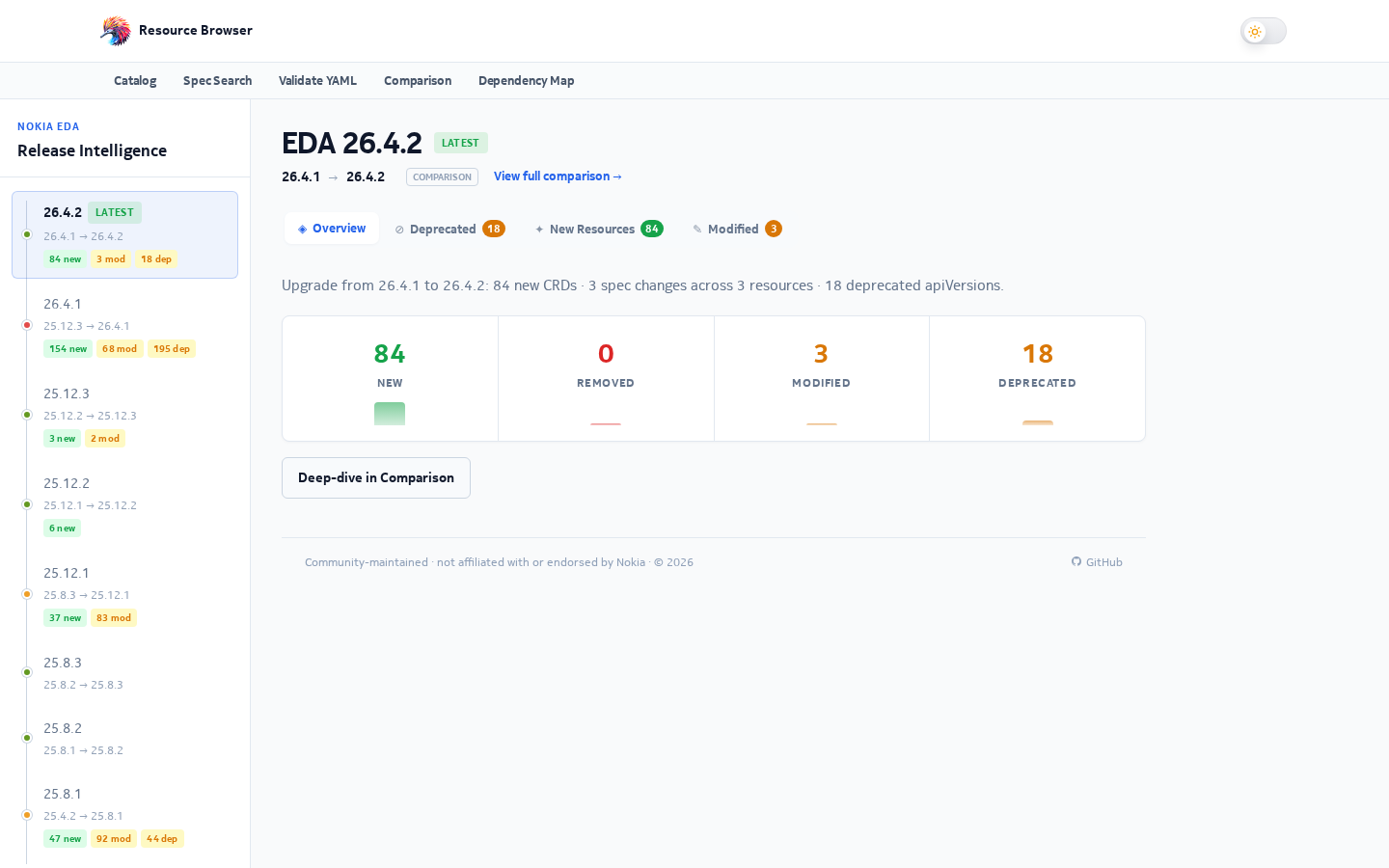
What you see
- A release list on the side. Pick a release to see its changes since the previous one.
- Summary cards: added, removed, modified, deprecated and unchanged CRDs. Click a card to jump to that section.
- Grouping by operational area — BGP, EVPN, Interfaces, Topology, Policies, Platform and Other — so related changes sit together.
- Per-field changes for modified CRDs, each with a short plain-English note on its impact.
- Deprecations, with the migration path to the replacement version when there is one.
- A filter box that highlights matches as you type.
- Quick links to open the same release in the catalog, comparison, validation, spec search and dependency map.
Click any kind to open its full schema in the CRD window.
Breaking or not?
Each field change is classified, and some classes count as breaking for manifests you already have:
| Change | Breaking? |
|---|---|
| New optional field | No |
| New enum value | No |
| Default value changed | No |
Any change under status.* |
No (status is written by EDA, not by you) |
| Field removed | Yes |
| New required field | Yes |
| Enum value removed or changed | Yes |
| Type changed | Yes |
Changes to schema metadata only (such as description or pattern) are never counted as breaking.
How the notes are made
Release notes are generated ahead of time, not in your browser:
flowchart LR
  REL["releases.yaml: ordered list of releases"] --> PAIRS["Pair each release with the previous one"]
  CRDS["Static CRD YAML of both releases"] --> DIFF
  PAIRS --> DIFF["Diff latest non-deprecated versions"]
  DIFF --> CLS["Classify each field change"]
  DIFF --> DEP["Find newly deprecated versions"]
  CLS --> JSON["release-notes/{release}.json + bundle.json"]
  DEP --> JSON
  JSON --> PAGE["/release-changes page, prerendered"]
Because the page is built from a pre-computed bundle, it opens instantly and works the same for
search engines. The selected release is kept in the URL as ?v=26.8.2.