
User guide
CRD Comparison
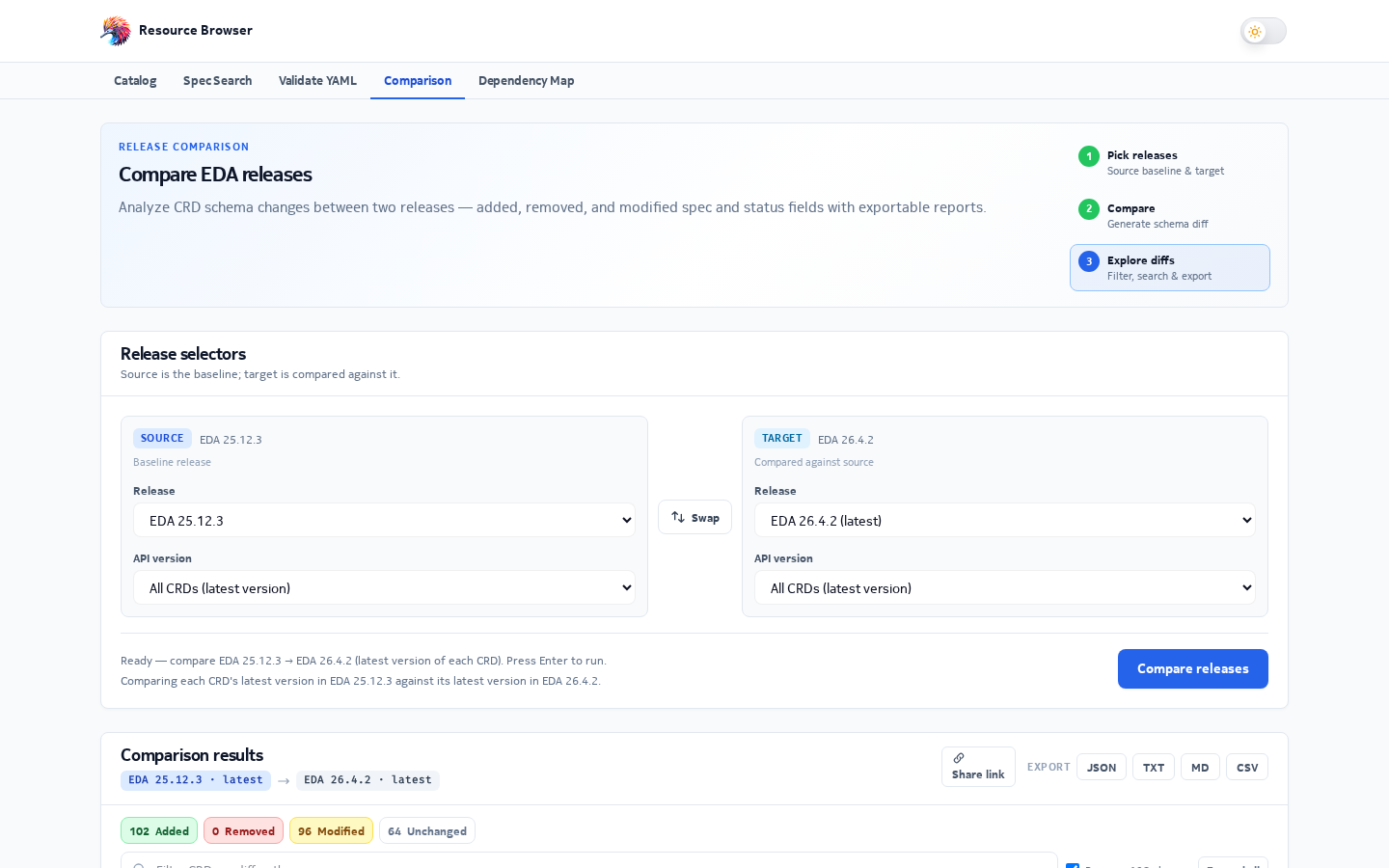
Diff the schemas of all CRDs between any two EDA releases, filter the changes and export a report.
Comparison (/comparison) compares every CRD between a source and a target release
(and optionally specific versions), then lists which CRDs were added, removed or modified, and
exactly which fields changed.
Using it
- Choose the source release and version scope, then the target.
- Click Compare. Progress is shown while CRDs are processed.
- Filter by status (added, removed, modified, unchanged) with the chips, and search the results. Turn on regex for pattern searches.
- Click a change line to open a side-by-side view of the field before and after.
- Use swap to reverse the direction, and export to download the report as JSON, TXT, Markdown or CSV.
The selection is stored in the URL (?sr=26.4.3&sv=all&tr=26.8.2&tv=all), and a link with all
four values runs the comparison as soon as it opens.
Version pairing
| You choose | What gets compared |
|---|---|
| A specific version on both sides | Exactly that pair |
| All on both sides | Each CRD's latest non-deprecated version in the source vs in the target |
| Anything else | Every version name found in either release, paired with the same name |
How it works
flowchart TB
  M1["Source manifest"] --> MERGE["Merge both CRD lists (state CRDs skipped)"]
  M2["Target manifest"] --> MERGE
  MERGE --> PAIRS["Build version pairs"]
  PAIRS --> BATCH["Process in batches of 20"]
  BATCH --> HEAD["HEAD request: does each side exist?"]
  HEAD -->|"only in target"| ADD["Added"]
  HEAD -->|"only in source"| REM["Removed"]
  HEAD -->|"in both"| FETCH["Fetch both YAML schemas"]
  FETCH --> DIFF["Walk spec and status properties recursively"]
  DIFF -->|"no differences"| SAME["Unchanged"]
  DIFF -->|"differences"| MOD["Modified: + added, - removed, ~ changed fields"]
Availability checks and downloaded schemas are cached for the session, so a second comparison of overlapping releases is much faster.
Search and regex safety
Searching highlights matches in the results. To keep the page responsive, regex mode falls back to plain text for patterns longer than 200 characters, scans at most 100,000 characters of a result and stops after 1,000 matches. An invalid regex is treated as plain text.