
User guide
Dependency Map
See which CRDs a resource depends on and which depend on it, and drill through the graph.
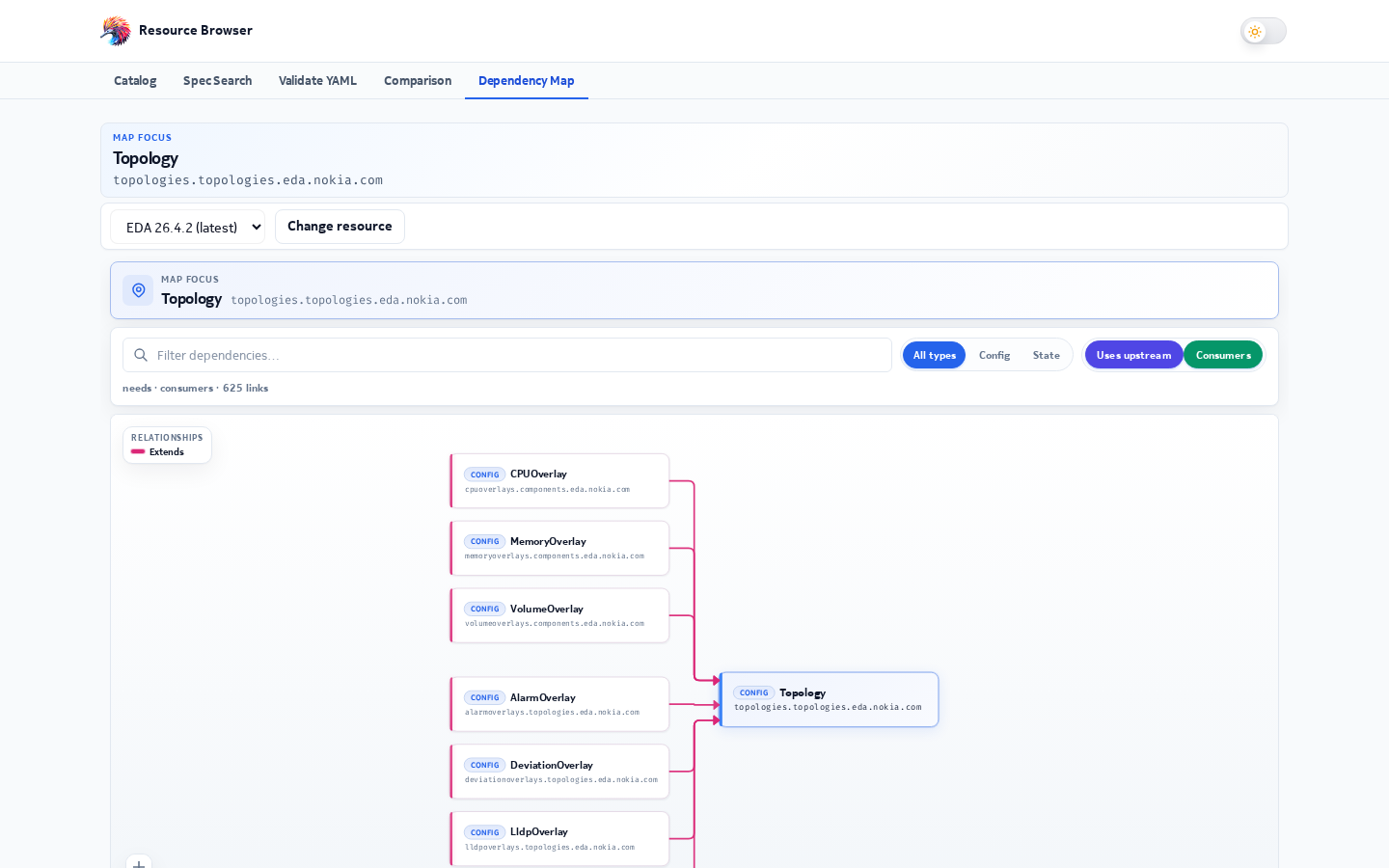
The Dependency Map (/dependency-map) draws the relationships around one CRD: the resources
it needs (prerequisites) on the left, the CRD itself in the middle, and the resources that use it
(dependents) on the right.
Using it
- Pick a release and search for a CRD (same search as the catalog).
- Toggle Depends on and Required by to show one or both sides.
- Filter by resource type, or search inside the graph.
- Click a card to drill down: it becomes the new focus. Breadcrumbs take you back.
- View CRD opens the schema window.
The URL keeps your place: ?release=26.8.2&resource=<crd>.
Relationship types
Each line on the map has a relation and a confidence level, depending on how the link was found.
flowchart LR
  A["Focus CRD"] -->|"references"| B["Referenced CRD"]
  A -->|"bindsTo / appliesTo"| C["Policy or target"]
  D["Orchestrator CRD"] -->|"orchestrates / deploys"| A
  E["State CRD"] -->|"observes"| A
  F["Group CRD"] -->|"member / memberOf"| A
  G["Extension CRD"] -->|"extends"| A
| Evidence | Example | Confidence |
|---|---|---|
Explicit reference annotations in the schema (x-references) |
a field declared as a reference to another kind | Highest |
| Group/version/kind fields | kind + apiVersion pairs |
High |
| Field naming | fields ending in Ref |
Medium |
| Selector and orchestration patterns in descriptions | "selects interfaces with label…" | Medium |
| Description text only | a kind name mentioned in prose | Low |
| Catalog pairs | a config CRD and its matching state CRD | High |
Lines are also classed as hard references (the field must point at a real resource) or intent dependencies (a looser "works together with" link).
How the graph is built
flowchart TB
  START["Open the map for a release"] --> PRE{"Precomputed graph available?"}
  PRE -->|"yes"| LOAD["Load dependency-graph.json"]
  PRE -->|"no"| BUILD["Build in the browser"]
  BUILD --> FETCH["Fetch CRD schemas, 10 at a time"]
  FETCH --> EDGES["Infer edges from schemas and catalog"]
  LOAD --> SUB["Keep the focus CRD and its neighbours"]
  EDGES --> SUB
  SUB --> LAYOUT["Three-column layout: prerequisites, focus, dependents"]
  LAYOUT --> DRAW["Draw cards and lines"]
Every release ships with a precomputed graph, so the map normally opens without downloading all schemas. Graphs are cached per release while you use the site.